K1 & K3 Extraction
Create SharePoint Column
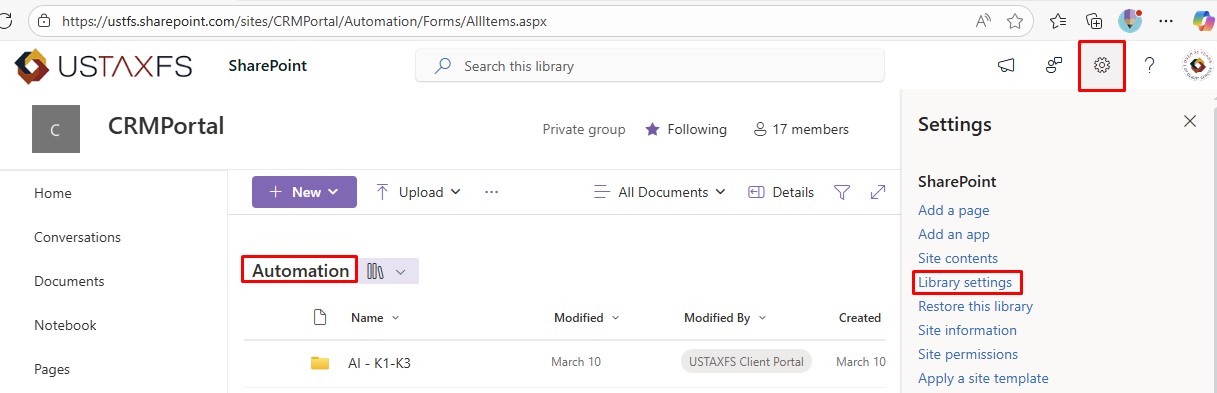
- In the Automation document library, select the settings cog and choose Library Settings
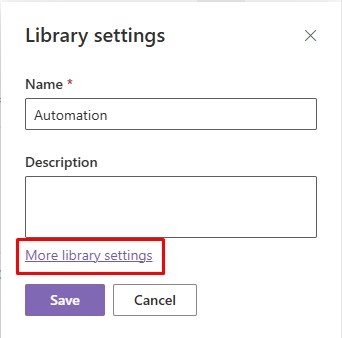
- Select More Library Settings
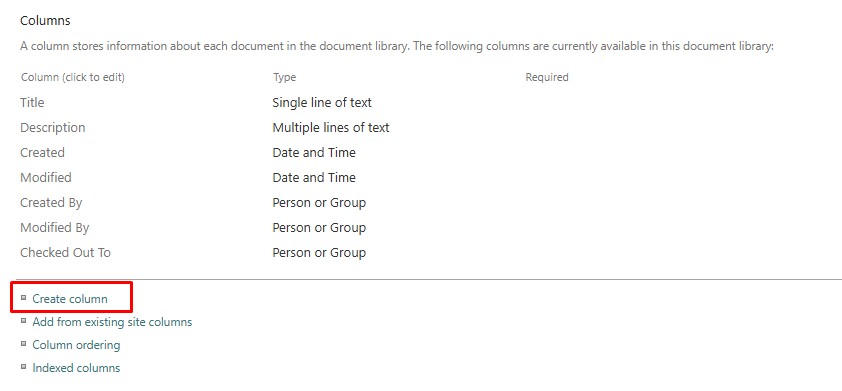
- Select Create Column
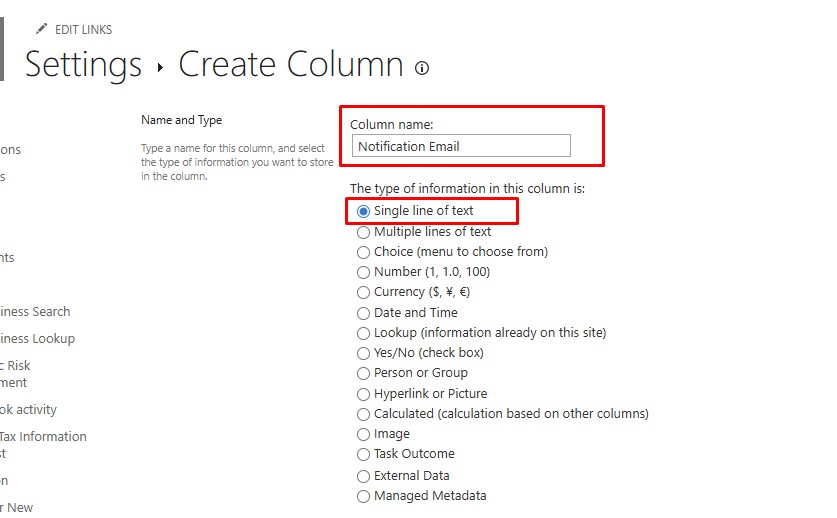
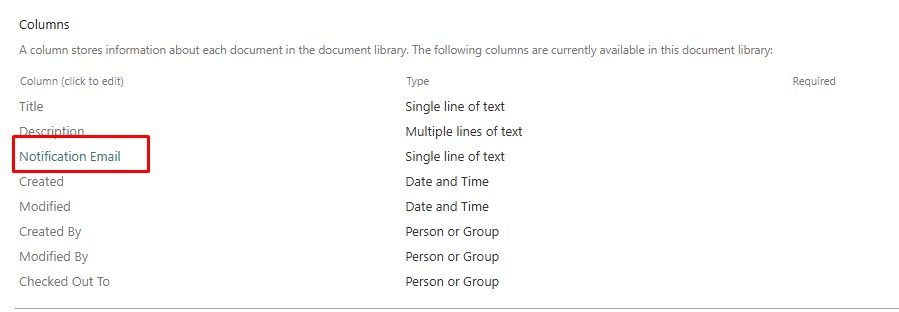
- Populate the Column Name field with Notification Email
- Ensure that the field type is set to Single line of text
- Once the column is saved, it should appear under the Columns heading
- Open the Column
- In the URL, validate that the field url value is formatted correctly as Notification_x0020_Email
